How to check if a used business laptop is stolen or BIOS locked
A step-by-step way to spot stolen or BIOS-locked ThinkPads, Latitudes, and EliteBooks before you pay. Know what to ask for, what to see in BIOS, and when to walk away.
On this page 9 sections
This guide explains how to check if a used business laptop is stolen or BIOS locked before buying, so you can avoid locks and mismatched serials.
Key takeaways
- Ask the seller for proof that the laptop can enter BIOS setup and change a setting, then save and exit, before any money changes hands.
- On Lenovo ThinkPads, a supervisor password blocks changing most BIOS options. If the seller cannot provide that password or show settings can be changed, do not buy. Lenovo explains this on its support site.
- HP states it cannot reset a lost BIOS password on HP business PCs. If an EliteBook or ProBook needs a password the seller does not have, walk away. See HP’s support article.
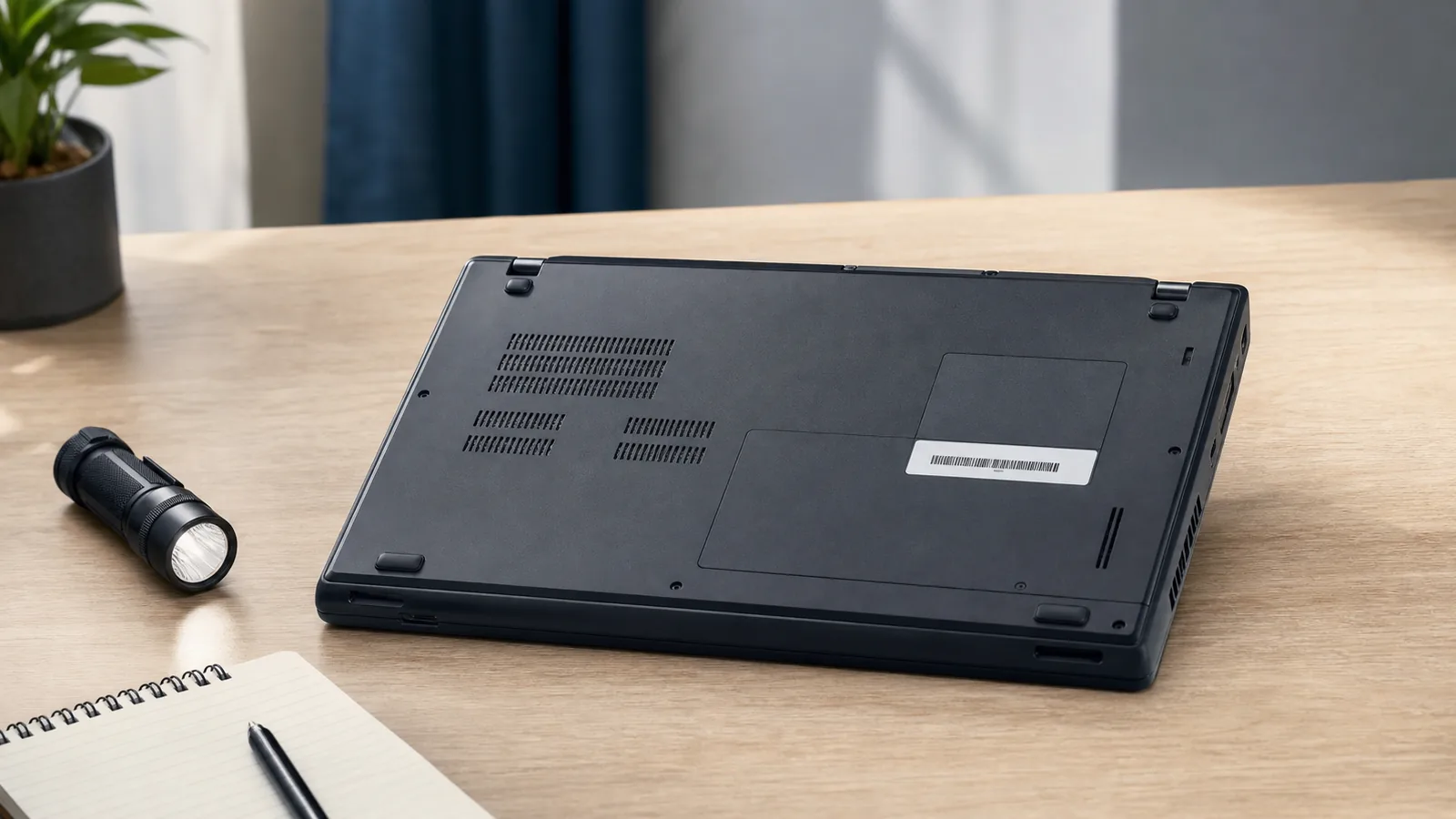
- Match the serial number in BIOS with the serial on the chassis label. Any mismatch, missing label, or signs of scraping are reasons to pass.
- If a listing mentions a BIOS password, refuses BIOS photos or video, or dodges direct questions, assume risk and move on.
Why BIOS and theft checks come first
Used business laptops are great value, but corporate firmware passwords and asset locks can leave a buyer with a machine they cannot control. One commenter on r/laptops put it plainly: “this could be a red flag that the laptop is stolen”. Another buyer shared that “the seller didn’t mention it.”
The safest path is to verify two things before paying: that the seller can access BIOS setup without a password roadblock, and that the device identity matches the chassis. These checks take minutes and prevent problems that are hard or impossible to fix later.
Spot red flags in the listing and messages
- Wording that hints at restrictions: “BIOS password,” “setup locked,” “admin password unknown,” or similar. Treat this as high risk.
- No photos of the bottom label or serial number, or a label that looks removed or scraped.
- Asset tags roughly peeled off with residue or deep scratches around labels.
- Seller avoids direct questions about BIOS access, or claims they cannot take a quick BIOS photo or video.
- Inconsistent details about where the laptop came from, or no willingness to provide a basic bill of sale with the serial number.
If you need model-specific risks, see the brand specific lock risk guides for ThinkPad, Latitude, and EliteBook.
Ask for proof before meeting or paying
Message the seller with clear, simple requests. A genuine seller with a machine that has no firmware password can provide these quickly.
Everyone: the three messages to send
- Please power on to BIOS setup and show you can change a harmless setting, save, and exit. A short video is best.
- Please show the BIOS screen that lists the device serial number, and a photo of the bottom label. The two should match.
- Please confirm there is no password prompt when entering BIOS and no lock screen that stops changes.
ThinkPad specifics
Ask directly: Is there a supervisor password set? Lenovo documents that a supervisor password protects system settings. If it is set and the seller does not provide it, most BIOS options cannot be changed. Avoid the purchase unless the seller clears it and proves settings can be saved.
HP EliteBook and ProBook specifics
Ask: Is there any BIOS password? If the answer is yes or unclear, require the seller to clear it before sale. HP states it cannot reset a lost or forgotten BIOS password on HP business PCs. Without the password from the seller, consider the device unusable for your needs.
Dell Latitude specifics
Ask: Is there a BIOS or admin password set, and can you change settings? Require video proof of entering setup, changing a setting, saving, and re-entering to confirm the change stuck. If any prompt blocks access or changes, pass on the listing.
What to verify in person
Use this quick flow at a safe, well-lit meetup with power available. If any step fails, stop and walk away.
- Power on and enter BIOS setup. There should be no password prompt that blocks entry.
- Navigate through settings. You should be able to move freely without seeing restricted or grayed-out options that require a password.
- Change one visible setting, save, and re-enter BIOS to confirm the change persisted. Then change it back.
- Find the BIOS page that shows the serial number. Compare it to the bottom label. If the chassis label is missing or does not match, do not proceed.
- Inspect the bottom panel and labels. Look for tampering around asset tags or labels, and for traces of scraping.
- Boot to the OS login screen to confirm normal startup behavior. If the device is wiped, that is fine, but there should be no firmware or pre-boot password prompt.
If you are meeting to evaluate several models for light gaming, run the lock checks first. You can look at performance later using our guide to light gaming performance on used business laptops.
Paperwork that protects you
- Bill of sale with the date, price, seller’s name, and the laptop serial number. Both parties sign a copy.
- Any company decommission or asset release note if it came from a business. A photo or scan is fine.
- Seller’s confirmation in writing that firmware passwords and security locks are cleared.
Documenting the serial number on the receipt ties the device you tested to the device you take home.
When to walk away
- The seller refuses to show BIOS setup, or a prompt appears that prevents changes.
- The BIOS serial number and the bottom label do not match, or the label is missing.
- The seller admits a supervisor or admin password exists but cannot provide it.
- For HP business models, any claim that a shop or support can remove a lost BIOS password. HP’s article says it cannot.
- Inconsistent origin story or reluctance to include a signed bill of sale with the serial.
If any of these appear, end the deal politely. The safest savings come from clean, verifiable machines. For a wider safety routine, use our safe deal first for used business laptops checklist.
After the lock check: quick health items
Once BIOS access and serials are confirmed, assess condition and battery to gauge fair value. A weak battery is common on older business laptops and is not the same risk as a firmware lock. Use the steps in battery health and wear checks before you buy to decide whether to factor a replacement into your offer.
“blocking me from entering BIOS setup”
That experience, shared on r/laptops, captures why the BIOS check comes first. If settings are blocked, you cannot make the machine your own.
If you must buy shipped
Only proceed if the seller provides clear BIOS proof beforehand. Ask for a short video showing entry to BIOS, a setting change, and the matching serial. In your purchase message, state that the device must arrive without any firmware or pre-boot password that blocks BIOS access or changes.
Use a marketplace or payment method with buyer protection, and confirm the return window and who pays return shipping if a firmware lock appears. Ask the seller to include the serial number on the invoice and in the shipping note, and record an unboxing video that shows the serial and the BIOS check on first boot. Avoid off-platform payments that remove your ability to dispute, and do not accept restocking fees for undisclosed locks.
When the package arrives, run the same in-person steps before powering through setup. If a lock appears that the seller did not disclose, contact the seller immediately with photos or video.
Questions people ask
Is a BIOS-locked laptop always stolen?
Not always, but it is a serious red flag for buyers. As one r/laptops commenter put it, “this could be a red flag that the laptop is stolen.” See the thread at https://www.reddit.com/r/laptops/comments/1th7s07/bios_locked_hp_elitebook_laptop_otherwise_works/. If a seller cannot clear the password and prove settings can be changed, pass on the deal.
Can HP or a repair shop remove an EliteBook BIOS password for me?
HP says it cannot reset a lost or forgotten BIOS password on HP business PCs. If the seller does not have the password and cannot clear it, avoid the purchase.
How can I tell if a ThinkPad has a supervisor password?
Ask the seller to enter BIOS and show they can change a setting, save, and re-enter. Lenovo explains that a supervisor password protects system settings, and without it most options cannot be changed.
What paperwork should I ask for with a used business laptop?
Get a simple bill of sale with the serial number, plus any company decommission note if available. Written confirmation that firmware passwords are cleared helps protect you.
What should I check after confirming BIOS access?
Evaluate battery health and overall condition to judge value. A worn battery is common and less risky than a firmware lock, and you can factor a replacement into your offer.